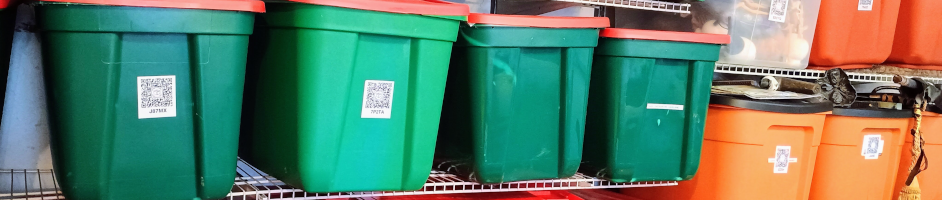
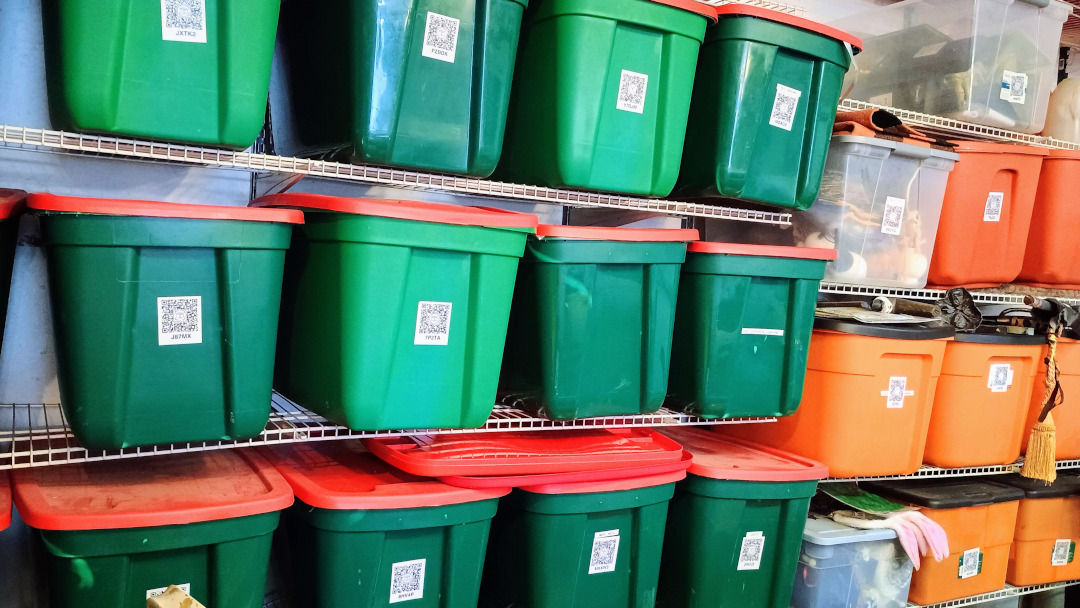
How has Tote Scan been working? The answer is we love it!
The initial idea had been to use this for crawl space organization. Armed with paper, pen and tape I went through every box. I carefully documented everything in a box, numbered it and put that number on the outside of the tote, well done me. I did the exact same thing with every Christmas tote in the garage. Then I lost the pad of paper. My shame is complete.
Fast forward, youngest son joins the Marines and middle son needs to store things here. Youngest son also needed things brought to him or shipped and middle son sometimes asks, “Hey, you don’t know where xyz is do you?” Plus we have things that had never been unpacked from the move that never happened. We also swap rooms around on the regular, meaning I have no clue where anything is, often leading to re-buying items which I find very frustrating.
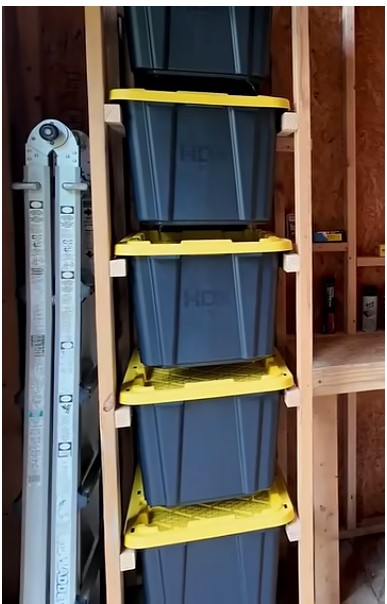
Bill and I decided we needed to make a big change. One side of the weld shop had been for plants but we no longer need it for seed starting. It was time to do a complete redo, pull it all out and start moving items that needed to be stored to the shop. While we have not yet built the storage rack (we do have the lumber now), I started packing. The idea for this is all over the internet. We happen to like BuildThisFixThat you can see how he did his here.
We standardized on black totes with yellow lid. Using only one kind of tote means the rack build should be easier. Plus any tote can go in any slot.
 Packing always starts with good intentions and design. It always ends looking like little chaos cats used you like a meat puppet. I wasn’t stopping to sort Sam’s things, at least not completely. I would find an item, put it in a tote where there was space, take a picture and add a description. Sometimes the titles of the totes had meaning and other times the actual tote title was as vague as, “Found These Things In The House And Want Them Out.” As long as the descriptions are good everything will be fine. Once I had a tote packed we printed a label in large print that said, “SAM” or “PETER” and took it to the shop. The labels with their names is just to help identify which totes belong to them to make it quicker to scan.
Temporarily they are all just stacked on top of each other along the back wall but it still works. Sam was home for the holidays and asked if we knew where certain things were. We had him load the app on his phone and sent him down to the shop to get the stuff he wanted. It worked beautifully, he knew exactly what totes to haul down and then he put them all away again. When he got back to Florida he asked if we could send more of his things to him, even gave us the tote to look in for them. This is huge because the alternative is me having to take down all the totes to find items.
When Halloween was done I sorted everything into like groups, took pictures, did detailed descriptions and put the totes up. It worked so well I repeated that with the Christmas decorations. It took so much longer to put things away this year, but it’s already paid off because I have found things that got missed, went out and scanned totes til I found where that thing belonged and then put it away. The other nice thing is even without opening totes I can easily see what is out there. No more forgetting what we have.
How do you handle the bigger items?
I use one QR code for a location. I put that QR either on an empty sheet or on the wall in that location. Then if I’m in the garage and want to know is xyz supposed to be in here and if it is, where exactly is it supposed to live. I just scan the QR. This also helps to make sure that everyone puts things back in the exact same place. Everyone using the same system is huge because if you have 10 minutes and you want to spend it trimming branches you don’t want to spend that time looking for the tool.
How do you handle the small items?
For now it’s one QR code for say a rack. We have a lot of those small totes with all the little bins inside of them. 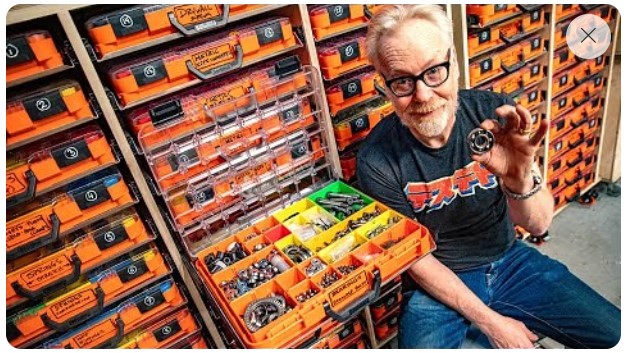
Okay not that many but the idea came from Adam Savage and his build which you can find here.
Currently I have just one QR on the side of the shelf. The shelves are labeled A – Z and then each shelf is broken down into slot 1,2,3. Each tote is labeled A1, A2, A3 etc… I then took a picture of the contents of each bin in each tote and gave it the description of A1 – woodscrew, A1 – drywall screw, A1 – you get the idea. If there was a package that had a UPC code I scanned the code and let the system fill in the details and then just added the shelf/slot to the title. This isn’t elegant and needs to change. Those totes are a mess, all the bins need to be taken out and we need to sort them into categories. When we do that I will need to redo Tote Scan, redo pictures, redo descriptions. Because of the way I did it I don’t think I will be able to use the move feature in Tote Scan. My biggest mistake was I added the individual bins contents into the description of that tote not as a separate item.
What does it look like in the system?
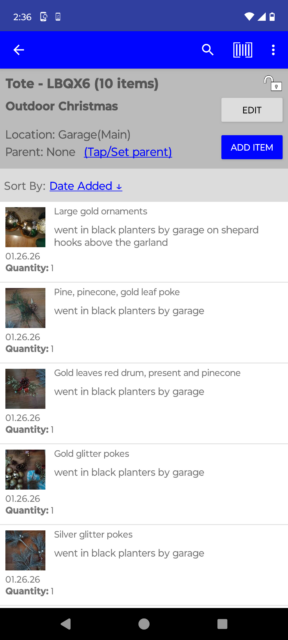
When you open a tote you can scroll through everything you added to that tote. To open an item just tap it.
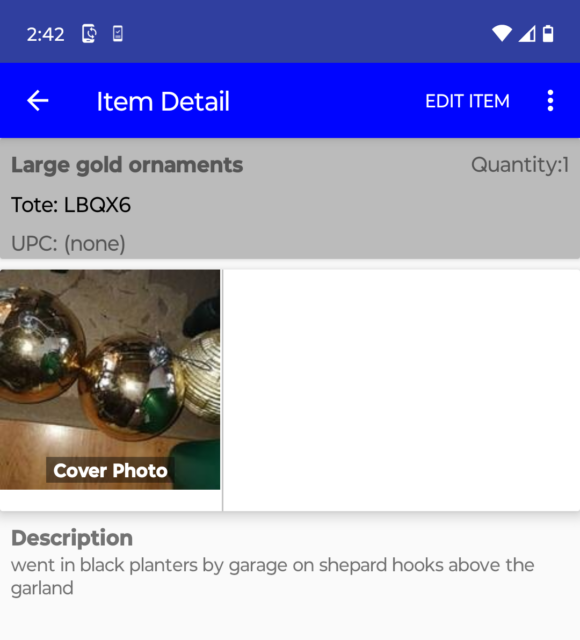
Use the dots on the search bar to move or delete it an item. If you select to move it you will be prompted to scan the QR code of the tote you want to move that item to and that’s it the item is moved.
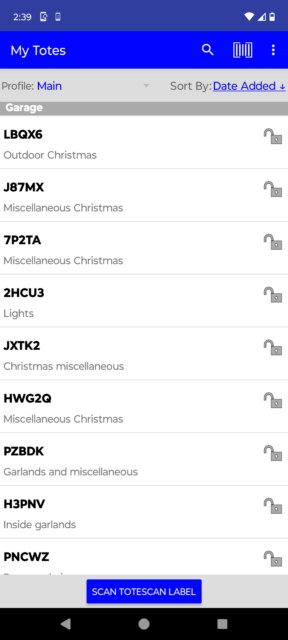
As you can see from this list of QR coded totes the label on the tote does make it easier to narrow down a search but you don’t have to stress about it.
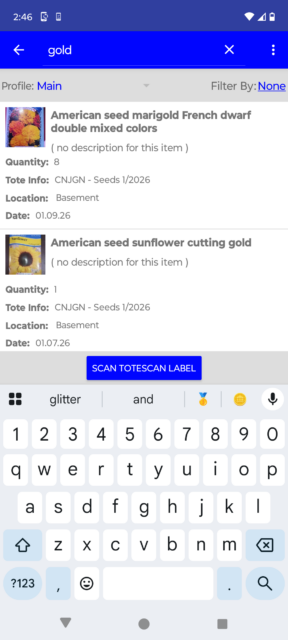
You can search from the main area or in an individual tote. When you select the search bar the keyboard will pop up, type in what your looking for and it will start bringing up all the places where it found your criteria. This is where descriptions really help. The more searchable words you add the higher the odds are that you will be able to find it again.
How has it been working so far?
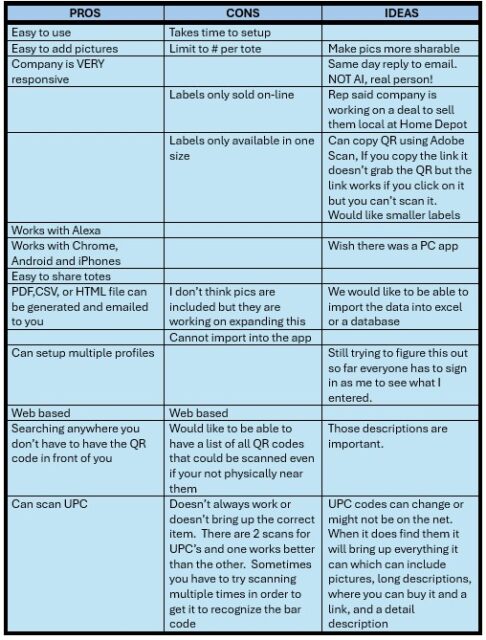
It is a pain to get it setup. If you take pics of everything, enter descriptions, scan UPC’s, figure out how to set it up based on how you will use it, that all takes time.
We use it a lot. I can search for “Skeletons” go right to that tote and put one away. You can make an argument that if I just wrote Skeletons on the tote it would be just as easy. Fair point, and yet it never was that simple and I cannot explain why. Bill uses it all the time in the shop. All those nuts, bolts, screws, misc. pieces tucked into those tote/bins required taking them all down and looking in each one to find the little piece we needed. Now he does a search and it tells him that tote/bin lives on shelf A slot 1. One night we were sitting in the garden talking about things that needed to be done. Bill asked, “Do we have any 10.10.10 liquid?” I replied, “I’m pretty sure there is some in the she shed.” He took out his phone and searched and sure enough we did have a bottle and it was in the she shed.
Future projects include:
- QR codes for each shop cabinet
- QR codes for each shop drawer
- QR codes for all the tools
- QR codes for the sewing room
- QR codes for the laser area, turning area, weld shop, well you get it..
We have used it when standing in the store trying to remember what part that specific tool needed. In the description you can link to a manual. I don’t remember every exact model number of every tool/item we have. Being able to find it in the inventory system, then go to that manual, and find my part all while standing in the store is huge. Plus knowing that we currently have over 20 different packages of tomato seeds has been the intervention we needed. Honestly we have a serious problem with seeds, I mean serious.