I am a pro at putting things in safe places. So safe in fact that they will never be found again. I am also a pro at putting things that do not make sense being grouped together, together. I also have an advanced degree in the quick clean where you shove things out of sight because someone is coming over and you don’t want them to see just how out of control life has become. Of course I will remember where everything that moved out of eye sight in the frantic grab and shove went, not. Enter organization software Odoo Inventory and Totescan.
A while ago I tried using the Odoo Inventory on-line system. For me it never really flowed for what I was trying to do, which was organize the shop. We have turning blanks, trims, boards, pen kits, turned items, tools, fasteners and all things in between. In addition we wanted to organize the seeds we had on hand so that we were not buying 27 packages of peas again. 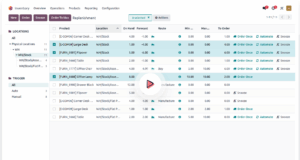
I spent weeks entering items in, taking pictures and adding the pictures, creating folders to break it all down further to aid in organization. A big part of the goal was to make the inventory available even if we were not standing in the shop. You’re out shopping and you wonder, “Do we have that size fastener?” You’re at a show and someone wants to know if you have something or can make something and they have a dead line, well let me check! Odoo offers the ability to have that access. It is very feature rich, and I think with training I would have grown very fond of it. On top of that the version we were running is free.
Fast forward a year or so and we were pulling out totes in the garage which hold holiday decorations. I have put labels on them, they fall off. I have used clip on labels with paper inserts so it’s easy to take an insert out and add or subtract items. In the whole moving thing they were lost and I have not put the effort into redoing them. We were both frustrated by not knowing what was in a tote without having to pull it down, open it up, and rummage through it. Odoo did not feel like the right software to organize this. Fast forward further and I’m up in the crawl space sorting through everything that was dumped up there when we moved back along with our son and his wife who stayed here while their house was being worked on. We put all our things up in the crawl space in an effort to give them max living space in the lower level and max storage space in the rest of the house/shop. I found batteries which have been sitting up there in storage for 8 years, they were no longer working batteries. I opened every box, wrote down it’s contents on a piece of paper, put a number on the outside using tape and moved on. A big downside to this system is sometimes descriptions don’t help but a picture is worth a thousand words. Plus I still have to go back and get it all in a format that can be accessed on-line so that the kids can see what might still be here that is theirs. I used that same box with a number/hand written contents in the garage for the holiday boxes too. Let’s just say when you are standing in the garage in July holding a Christmas garland you probably will not take the time to find that list so that you get it in the right box.
Fast forward again and we have one son who is in the Marines and one who still has a big part of his life stored here and them needing/having space for their things is not even on the horizon. Bill has moved his new laser into the mechanical room in the house but his old laser still lives in the shop. The one son has things scattered all over, crawl space, mechanical room, studio, shop, garage, it’s chaos. Every time he askes me if something is here I have no idea. The Marine has moved to his schoolhouse and can now have some of his personal items. This also brings on the new reality of what do we do with the rest of it? Before we took him the things he asked for I took everything out of his space, took a picture, added it to a google doc that I shared with him. Then sent him Discord messages with 10 pics and asked, “Any of this?” The things he wanted went on one google doc and the things that would be stored went to another. Now this kind of worked because he could see the docs, could edit the docs and now I had a detailed visual list of what we bought and what was here so that in the future if anyone needed to know where something was it’s documented.
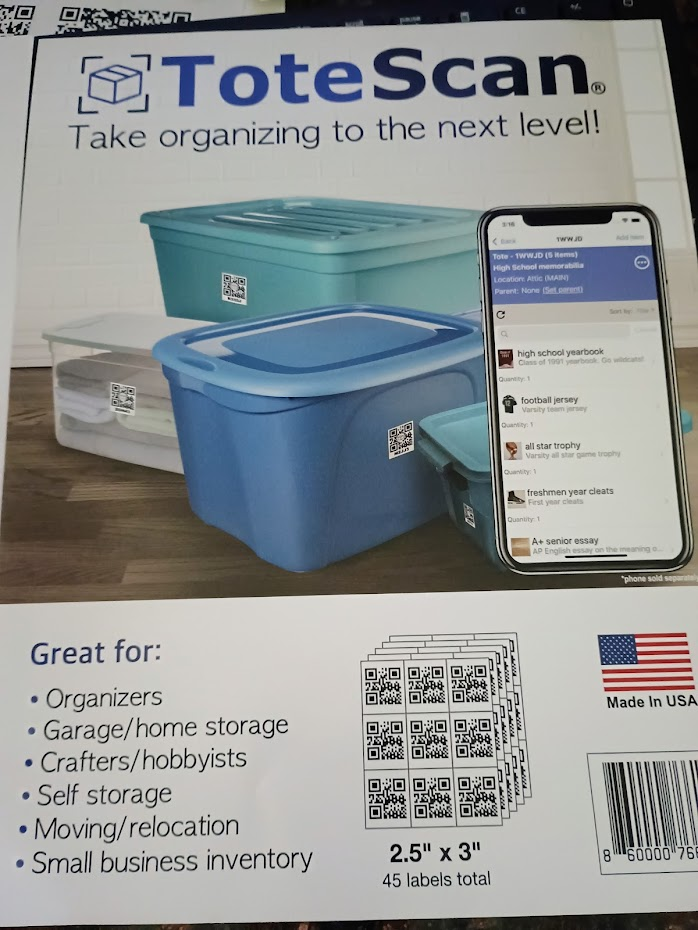
Now when I had been working in the crawl space I came across Totescan.  I bought the labels from Amazon here
 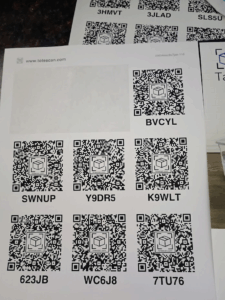 . They laid on my desk until a few months ago one of the frenzy grab and stuff cleaning events happened. Until yesterday, when I found them again. The QR codes come in sheets, you peel off a label and put it on the tote. Once the label is on the tote you use the app on your phone to scan it. The app will add that QR code to your list. From there you can rename it, add or remove items from it, add pictures, create locations like Garage, Shop, Crawl Space etc…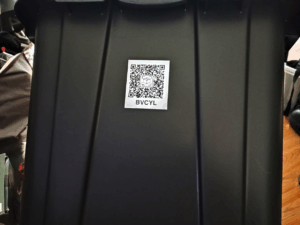
Here are some of the things I really like about this system:
- It’s easy to add/edit/delete items from each tote. Plus I can add a picture and comments to each item.
- You can search a tote by name, item title, description, keyword, or just scan the label.
- You can use Alexa or Echo dot (I will probably never do this).
- You can share an account which means the kids can look through their own totes.
- You can reuse a label.
- No subscription, no fees, the software is free.
- They do have email support.
- They can do custom labels but that will cost extra.
- A small business could use this, you could use it when you move, you could use it to make storing items less stressful and easier to find, you could create a home inventory so that if there was a disaster insurance claims would be less stressful (trust me on that we had to do it from memory and it was stressful), search and find, accessible anywhere, pictures, ability to set quantity of items in the tote and it’s so much neater than trying to read what you wrote on a tote.
Things I wish were different:
- It’s only a phone app. You can use MS Phone Link BUT if your phone is not on their approved list you will not get the app option, so no go. My phone is not on their list. You could also use a 3rd party software like BlueStack but there are some questions about security and viruses and it is an emulator so…. I didn’t like that it wanted me to sign in to my Google account to go to the Play Store to download the app. I’ll deal with the phone.
- I suppose I do question the security. You are putting everything you own out there on the internet. If I was storing gold bars or precious gems I don’t think I would use this. If somebody sees that I have Havel armor I’m not worried they will break in to steal it.
- I worry that the labels might fall off or fade.
- The random label name might make it hard for somebody trying to quickly find their stuff but not knowing which totes to scan. I’m going to put tape with the name of the person the box belongs to on each box to help with that.
- I could see it being a problem if, like me, you don’t always have your phone with you but you need to find something.
- As they change the software it could either get better or worse depending on the changes you’re kind of at their mercy you can’t keep an old version that you liked but you also get all the upgrades for free.
So what does it look like? 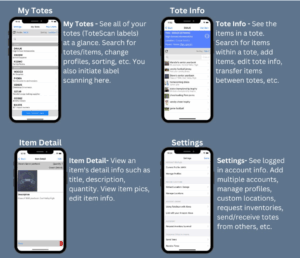
The main screen breaks things down by the location you added them to. You can use their default locations or you can add in your own locations. For these totes “workshop” is fine. When we start doing the shop, and this is part of the problem I had with Odoo, we can create locations like “workbench” or “lathe cabinet 1”. I like that on the tote screen I can see all the pics and then I can go into an item and see more details. From the “settings” you can manage your logins, profiles, locations, make inventory requests, move totes around from others. It’s not feature rich, meaning you can’t do imports or print or export data and it won’t make coffee for you. It has enough features to make it very versatile and useful.
Getting the software and Installing:
I have an Android phone so I went to the Goggle Play store and did a search for Totescan. Selected the app and installed it. To get it setup I gave them my email address and they sent me a code which I entered into the phone. From that point on it was just open the app, select to scan a QR code, point it at the QR label and get started. I changed the default location of “garage” to workshop. Gave that tote a name like “Sam’s Costumes” and then started adding items. Each item added I would name, then take a pic (which is done right from the app, another improvement over Odoo). You can either take a pic or use one from your phone, add any descriptions you need, and hit Save. You can add multiple pictures per item. The first pic you take will be the cover photo for that item, you can see additional photos in the items detail. Why would you do this? Say you have a tool. You take a pic of the tool, and that is your cover pic for the inventory item. Now you take a pic of the receipt for that tool, a pic of the specs for that tool, a pic of the battery, a pic of the part number or identifier for your tool, a pic of maintenance pieces or add ons for that tool. You might say why can’t I just look up that info online? You can, but sometimes when you are standing in a store it can take time to do an internet search and then what if there were different series of that tool and each one is just a little bit different but you can’t remember which one you have, so is it this part or that part that you need? Well if you have it all right there in your phone it makes life simpler. Having a pic of the purchase receipt is genius.
Here is something that might sound silly but sometimes I want to help put things away in the shop but I don’t know where everything goes. I will put away what I know and leave the rest. What if I could just search or scan the drawer’s QR code? Now I know where the thing lives and I can put it away. Bill will send me to the shop for a specific fastener and later when he is looking for me AND the fastener he will find me standing in front of boxes of unlabeled fasteners trying to decided which one he wants. We have actually talked about this a lot because it’s a pain when you have to pull out all the fastener boxes trying to find the one that has what you need. When it comes to pen turning, just recently we ended up buying pen kits only to find out we already owned 3 of those kits. They were just in the wrong box. Plus all the mica powders, paints, dyes, 3D printing supplies, paint brushes and so many misc supplies. To know what you have, when you bought it, how much it cost, and where it is will reduce frustration. How many times have you wanted to do something but your time is limited and you end up spending that precious time looking for your supplies or you find that your product has expired. I could also see adding in plans as a tote. Then you not only could bring up the plans for the project you are working on to see what you need but you could search through your totes to see what plans you have.
I can see this being used in the sewing room too. I’ve been working on taking pics and measuring and refolding all my fabric. I just wasn’t sure what to do with all that info once I had it. Well now I know I can put it in this software and have all that info available at my finger tips. I can add all my patterns, notions, machines, and consumables as well then when I’m standing in the store wondering if I have what I need, I will be able to check. When I’m planning a project I will be able to easily see if I have everything before I get started. Same with all my art supplies or air brush supplies or foam supplies or T-shirt printing supplies, or silk screen supplies. I can see this helping with the recording studio, what equipment or instruments are here, what music is here, what consumables are here what kind of cables are here. Right now everything is spread out all over, at least now you know that cable is in this location. Frustrating to need to leave the house and go to the shop but not as frustrating as not knowing that cable is actually hanging on the front wall of the garage it never made it into the cable box, oops.
I know it sounds like overkill, I have pictures why not just use what’s already on my phone? Pictures get lost and by that I don’t mean it got deleted I mean try and find that picture or that thing you bought 2 years ago. Say for instance I want to know what green fabric I have, well I can look through all my pics for green fabric and then go find the list I have of how many yards each one I have. OR I if I put the word green in the description and add how many yards there are I can now search for “green” “1” now only fabrics that are green and have 1 yard will show up.
In summary I see this as becoming a very useful tool in many areas of our lives. Does it feel a little OCD? Yes, but that’s okay. Will it be perfect? Not until the people using it are. I can see someone taking something out of a box and never updating the box info or putting something in one and not updating. I can also see a box being moved from the location and never updating the software. I see lots of ways it can fail because all systems are only as good as the people using them. Because it’s easy to use and not expensive I feel that it really is worth giving it a chance. Even if it only helps me track the totes that are infrequently used it will still help.